

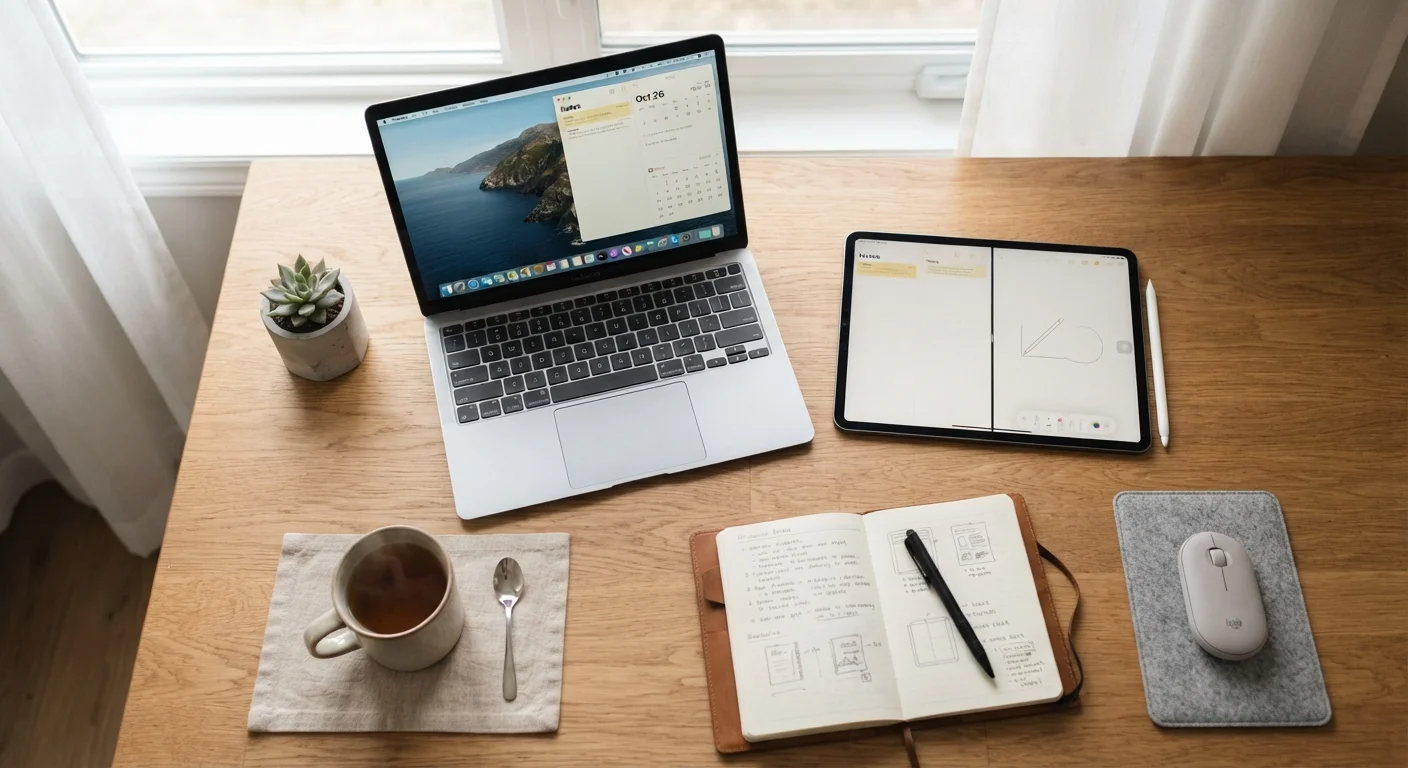
Option A
Laptop
The full-featured workhorse for getting things done.
Best for: Users who type frequently, run desktop software, or need a single device for both work and personal tasks.
Option B
Tablet
The lightweight, touch-first device for consuming and light creating.
Best for: Users who primarily browse, stream, read, or want a portable device for casual everyday tasks.
What Each Device Is Actually Designed to Do
Laptops are self-contained computers built around a keyboard and trackpad. They run full operating systems - Windows, macOS, or Linux - which means they can handle virtually any software a desktop PC can. The design assumes you'll be seated and productive.
Tablets are touchscreen devices that prioritize portability and ease of access. They typically run mobile operating systems (iPadOS or Android), which are optimized for apps rather than traditional desktop software. Most tablets can accept an external keyboard, but that's an add-on, not a built-in assumption.
Understanding this design philosophy is the most useful starting point. Neither device is trying to be the other - they're built with different primary users in mind. When those two profiles don't match your actual habits, that's when frustration sets in.
| Criterion | Laptop | Tablet |
|---|---|---|
| Operating system | Full desktop OS (Windows/macOS) | Mobile OS (iPadOS/Android) |
| Keyboard | Built-in physical keyboard | Touchscreen; external keyboard optional |
| Typical battery life | 6-10 hours (varies widely) | 8-12 hours (generally longer) |
| Portability | Moderate; heavier and bulkier | High; lighter and slimmer |
| Software availability | Broad; includes full desktop apps | App-based; some desktop tools missing |
| File management | Flexible and familiar | More limited and app-dependent |
| Multitasking | Strong; multiple windows at once | Improving; still more restricted |
| Ease of use for beginners | Moderate learning curve | Generally more intuitive |
Where Laptops Still Have a Clear Edge
For anything involving sustained keyboard work - writing reports, filling out forms, managing spreadsheets, video editing, or coding - laptops remain more practical. The physical keyboard alone is a significant advantage for anyone who types more than a few sentences at a time.
File management is another area where laptops win. Organizing folders, moving files between applications, and working with multiple documents simultaneously is more intuitive on a full desktop operating system. Tablet operating systems have improved, but they still impose more friction on these workflows.
Laptops also run software that simply isn't available on tablets - particularly in professional, creative, and specialized fields. If your work or hobby depends on specific desktop applications, a tablet may not be a viable primary device regardless of its other strengths.
~54%
US adults who own a laptop or desktop
According to Pew Research Center survey data, roughly half of American adults report owning a laptop or desktop computer as a primary computing device.
~32%
US adults who own a tablet
Pew Research Center data indicates tablet ownership is notably lower than laptop ownership among American adults, though it has grown steadily over time.
60%+
Tablet users who also own a laptop
Industry surveys consistently find that most tablet owners treat tablets as secondary devices rather than full laptop replacements.
Where Tablets Hold Their Own
Battery life is a genuine advantage for most tablets. While laptops vary widely, many tablets comfortably reach 10 or more hours of active use, making them more reliable for a full day away from an outlet.
Portability matters too. Even thin laptops are heavier and bulkier than most tablets. For commuting, travel, or simply moving from room to room, the weight difference is noticeable. Tablets are also quieter - most have no fans - which matters in shared spaces.
For media consumption, reading, video calls, and casual browsing, tablets deliver an experience that is genuinely comparable or better than a laptop. The touchscreen interface is also more intuitive for younger users and people who are less comfortable with traditional computing. If your household has both tech-savvy adults and young kids, a tablet can serve a broader range of users without a steep learning curve.
You may also find our guide on keeping personal data safe on everyday devices useful if you're considering either option - both tablets and laptops require thoughtful security habits.
The Honest Middle Ground: Hybrid Devices
Some devices blur the line - detachable keyboard tablets and 2-in-1 laptops attempt to combine both form factors. These can work well for users whose needs genuinely span both categories, but they typically involve trade-offs in each direction: they're heavier than a standard tablet and often less capable than a dedicated laptop at similar price points.
If you're weighing a hybrid, ask yourself how often you'd actually use each mode. Many people who buy hybrids end up primarily using them in one configuration. Thinking through your realistic daily habits - not your aspirational ones - tends to produce better outcomes.
For a similar framework applied to a different major decision, see our article on renting vs. buying in today's market, which uses a comparable approach to weighing practical trade-offs. The same logic applies here: there's no universally correct answer, only the answer that fits your actual situation.
Thinking About a Second Device?
Many households own both a laptop and a tablet, using each for different purposes. If budget allows, this pairing can eliminate the trade-offs entirely - a laptop for productivity work and a tablet for leisure, travel, and shared use. However, for households looking to buy one device that covers most needs, identifying your most frequent daily tasks is the most reliable guide to which form factor makes more practical sense.
The content on this site is provided for informational purposes only and should not be considered a substitute for professional advice. While we strive to provide accurate and up-to-date information, we make no guarantees regarding its completeness or accuracy. Always consult a qualified professional for advice specific to your circumstances before making any decisions