

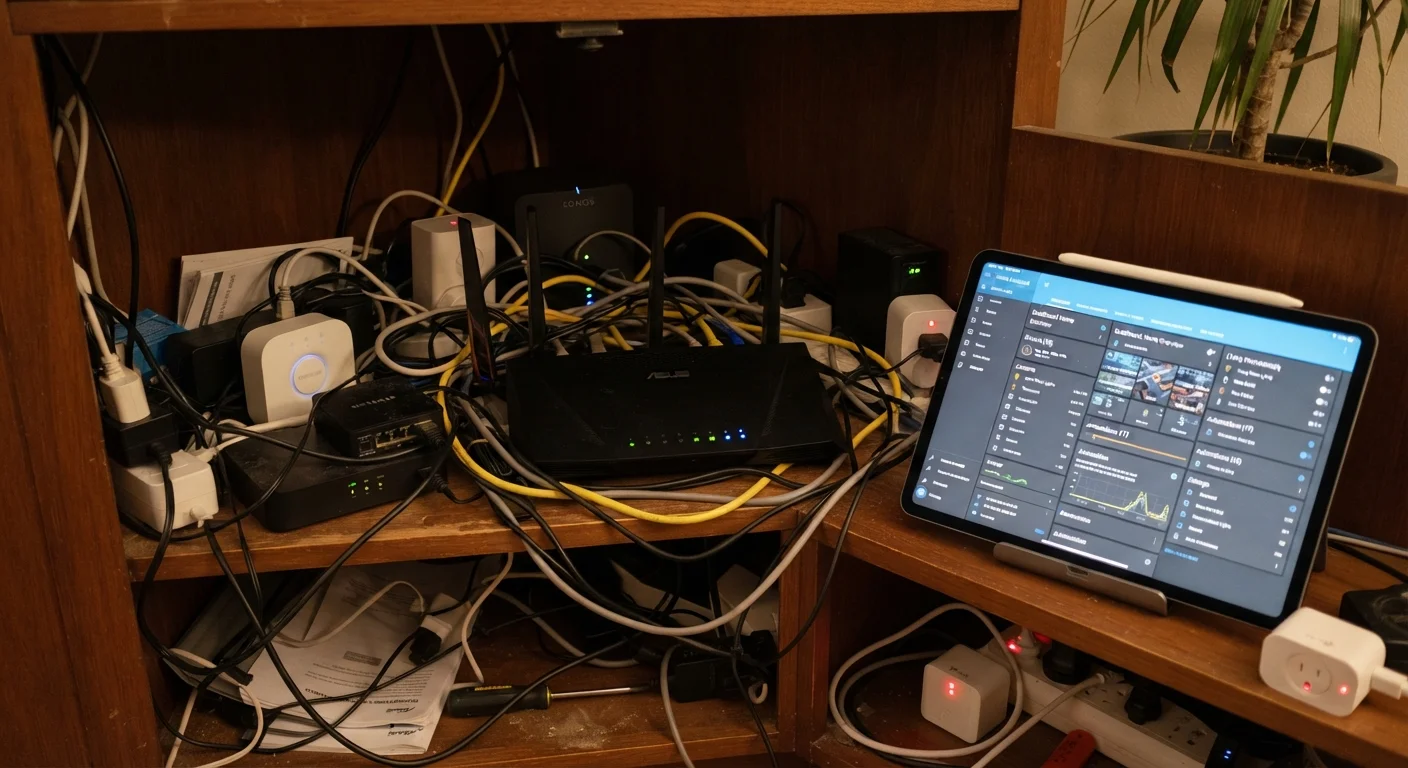
Why Early Decisions Stick Around
Setting up a smart home feels exciting - you're unboxing gadgets, downloading apps, and watching lights obey voice commands. But the decisions you make in those first few hours quietly shape how well everything works months later. A router tucked in the wrong closet, a password left as the factory default, a device added without checking compatibility: these choices compound. By the time problems surface, most people have forgotten they made them.
If you're still laying the groundwork, our plain-language smart home introduction covers the core concepts worth knowing before you buy anything. For those already mid-setup, the mistakes below are the ones that most reliably create future headaches - and each is fixable.
Placing the router in a corner, closet, or behind the TV to keep it out of sight.
Why it happens: Routers are often considered eyesores, so new owners prioritize aesthetics over signal coverage.
Leaving factory-default passwords unchanged on routers and smart devices.
Why it happens: Setup wizards rarely emphasize password changes, and default credentials feel temporary - but often stay indefinitely.
Buying devices without checking whether they share a compatible communication protocol.
Why it happens: Marketing language like 'smart home compatible' is vague. Shoppers often assume all devices work together by default.
Connecting all smart devices to the same network as computers, phones, and financial accounts.
Why it happens: Setting up a separate IoT network requires router access and feels technical, so most users skip it.
Ignoring firmware and app update notifications for smart home devices.
Why it happens: Update prompts appear infrequently and feel optional, especially once a device is working correctly.
Installing too many devices too quickly without testing each one first.
Why it happens: The excitement of setting up a new system leads people to add everything at once, making it hard to diagnose which device causes problems.
The Network Issues Nobody Warns You About
Most smart home frustrations trace back to the home network, not the devices themselves. Understanding a few fundamentals goes a long way.
70%+
Smart home issues traced to network problems
Industry support data consistently shows that the majority of smart home device complaints - connectivity drops, unresponsive gadgets - stem from router configuration or Wi-Fi coverage gaps rather than faulty hardware.
2.4 GHz
Band required by most smart home sensors
A large share of smart home accessories, particularly lower-cost sensors and plugs, only support 2.4 GHz Wi-Fi - not the faster 5 GHz band common on newer routers.
Router location matters more than most people expect. Wi-Fi signals degrade through walls, floors, and appliances. A router jammed into a corner cabinet or a back bedroom creates dead zones exactly where you want smart bulbs and locks to work reliably. Central placement - ideally elevated and unobstructed - makes a measurable difference. If your home is large or multi-story, a mesh network system (multiple access points that work together) is worth considering over a single router with a range extender.
The 2.4 GHz vs. 5 GHz band choice trips people up constantly. Many smart home devices - particularly older sensors, plugs, and bulbs - only support 2.4 GHz Wi-Fi. The 5 GHz band is faster but has shorter range. If your router broadcasts both under the same network name, some devices will struggle to connect to the right band. Giving each band a distinct name in your router settings makes this manageable. For a deeper look at how these communication layers interact, see our guide on how smart home devices communicate.
Mesh Systems Are Not Plug-and-Play for All Devices
Mesh Wi-Fi improves coverage but can introduce its own complications - particularly for devices that struggle with roaming between nodes or require a stable IP address. Before switching to mesh, check whether your existing smart home devices have known compatibility issues with the system you're considering. User forums and manufacturer support pages are useful sources for this.
Security Gaps That Are Entirely Preventable
Smart home security doesn't require expertise - it requires habits. The three below address the most common vulnerabilities in typical setups.
Change default device credentials immediately. Manufacturers ship devices with generic usernames and passwords that are publicly documented. Leaving them in place is the digital equivalent of not changing the locks when you move in. If you're a new homeowner thinking through physical and digital security together, our overview of home maintenance basics for first-time owners touches on overlapping considerations.
Set up a separate network for IoT devices. Most modern routers support a guest network or VLAN (virtual local area network). Putting your smart plugs, cameras, and thermostats on a separate segment means a compromised device can't easily reach your computers or phones. This is one of the highest-impact, lowest-effort security steps available to home users.
Enable automatic firmware updates where possible. Device manufacturers regularly release patches for discovered vulnerabilities. An unupdated device from two years ago may have known, unpatched security flaws. Check each device's app for an auto-update setting and enable it.
The content on this site is provided for informational purposes only and should not be considered a substitute for professional advice. While we strive to provide accurate and up-to-date information, we make no guarantees regarding its completeness or accuracy. Always consult a qualified professional for advice specific to your circumstances before making any decisions