

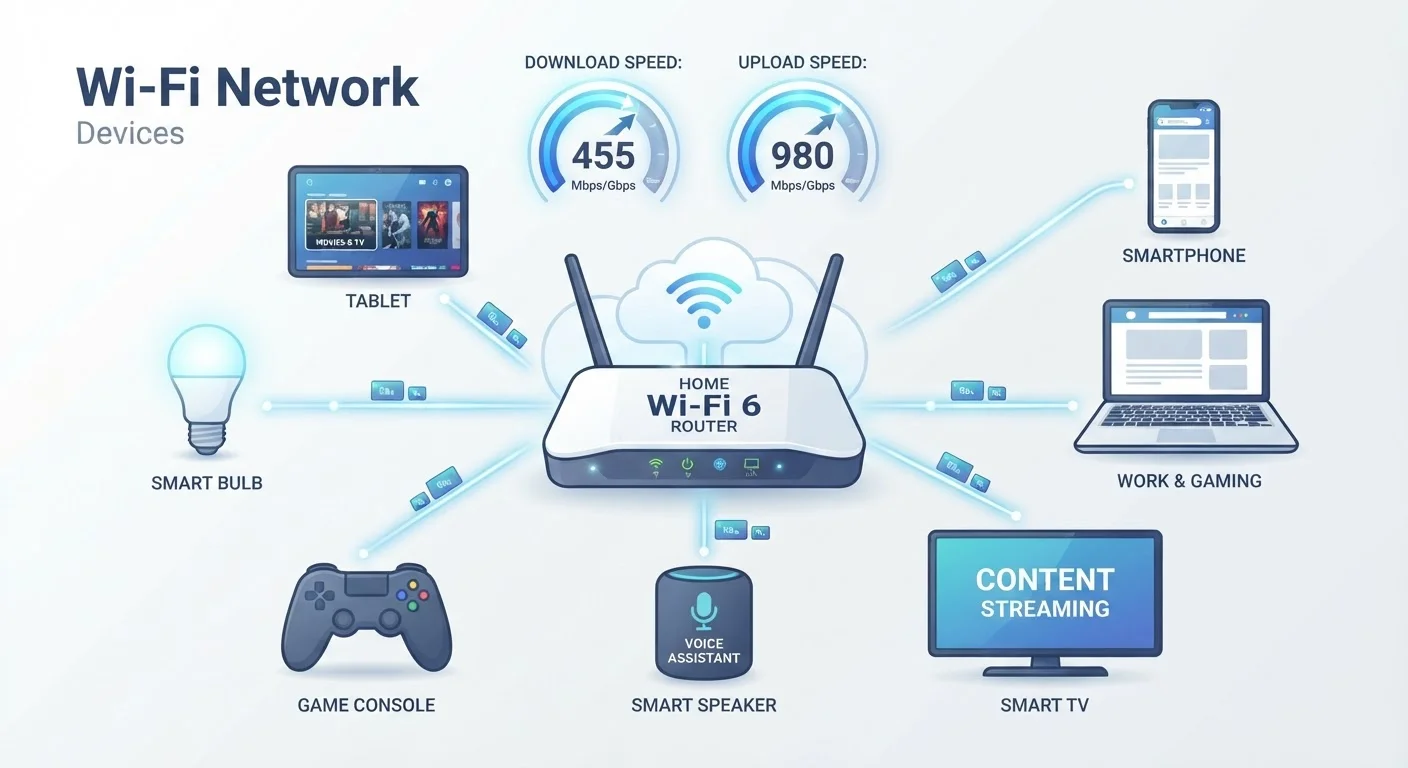
What Mbps and Gbps Actually Mean
Internet speed is measured in bits per second - specifically megabits (Mbps) or gigabits (Gbps). A bit is the smallest unit of digital data, and "per second" tells you the rate at which your connection moves those bits. The higher the number, the more data your connection can handle simultaneously.
The practical jump between these units is significant: 1 Gbps = 1,000 Mbps. A gigabit plan isn't just a little faster - it has ten times the capacity of a 100 Mbps plan. That matters when many devices compete for bandwidth at once, but it's overkill for a single user checking email.
One detail worth knowing: these measurements are in bits, not bytes. When you download a file, your computer typically shows progress in megabytes (MB). Because there are 8 bits in a byte, a 100 Mbps connection transfers data at about 12.5 MB per second. That math helps you convert speed-test results into real-world download estimates. For a deeper look at related terms like latency and throughput, see our household internet glossary.
25 Mbps
FCC's historical minimum broadband definition
The FCC previously defined broadband as 25 Mbps download / 3 Mbps upload, though it updated this threshold to 100 Mbps / 20 Mbps in 2024 to reflect modern household demands.
15-25 Mbps
Recommended speed per 4K stream
Major streaming platforms including Netflix publish per-stream recommendations; 4K content is among the highest per-device bandwidth demands in a typical home.
8 bits
Bits per byte - the conversion factor
Because ISP speeds are in bits and file sizes are in bytes, dividing your Mbps speed by 8 gives your effective megabytes-per-second download rate.
How Much Speed Common Activities Actually Consume
Most internet activities require far less bandwidth than people assume. The challenge isn't any single activity - it's simultaneous use across multiple devices. Here's a general picture of typical per-device demands:
- Standard web browsing and email: 1-5 Mbps
- HD video streaming (1080p): 5-10 Mbps per stream
- 4K streaming: 15-25 Mbps per stream
- Video calls (standard quality): 1-4 Mbps upload and download
- Online gaming: 3-25 Mbps download, but latency (response time) matters more than raw speed
- Large file downloads or cloud backups: Benefit from maximum available speed
To estimate your household's real need, add up the demands of everything likely to run at the same time during your busiest hour - not just the biggest single use. That number is your practical baseline. For context on why your connection type affects these figures, our guide on home internet types and speeds explains the tradeoffs between fiber, cable, and DSL.
A two-person household streams HD video on one TV, joins a video call on a laptop, and browses on a phone - all at the same time.
A family of five has multiple people gaming online, streaming 4K content, and attending virtual school sessions simultaneously on a weekend afternoon.
A remote worker regularly uploads large video files to cloud storage while attending back-to-back video meetings throughout the workday.
A single apartment renter mainly browses the web, streams music, and occasionally video calls friends on weekends.
Advertised Speeds vs. What You Actually Get
ISPs advertise maximum, or "up to," speeds - not guaranteed speeds. Several factors shape the real-world number you experience:
- Connection type: Fiber typically delivers speeds closest to advertised rates. Cable performance can vary significantly during peak evening hours due to shared neighborhood infrastructure.
- Wi-Fi vs. wired: A Wi-Fi connection introduces signal loss, interference, and distance degradation. A device plugged directly into your router via Ethernet almost always performs faster and more consistently.
- Router age and quality: An older router may be a bottleneck even on a fast plan.
- Network congestion: Shared connections slow during high-demand periods.
Running a speed test during peak usage hours - rather than midday when the house is empty - gives a more honest picture of what your plan delivers when you need it most. Understanding how carriers manage congestion is also worth knowing; our article on data throttling, deprioritization, and speed caps breaks down the key differences.
Test Your Speed at the Right Time
Run your speed test during the evening hours when household usage peaks - not at noon on a Tuesday. Many ISPs deliver close to advertised speeds at off-peak times but fall well short during high-demand periods. Testing at your personal peak hour gives you the number that actually reflects your daily experience.
Choosing a Speed Tier That Fits Your Household
Rather than anchoring to a marketing number, work backward from your household's real usage. A general framework:
- 1-2 people, light use (browsing, occasional streaming): 50-100 Mbps is typically sufficient.
- 2-4 people, mixed use (streaming, video calls, some gaming): 200-400 Mbps provides comfortable headroom.
- 5+ people or power users (multiple 4K streams, heavy uploads, frequent large downloads): 500 Mbps to 1 Gbps reduces competition between devices.
Also consider upload speed, which is often neglected. If anyone in your home works remotely, does video calls, streams gameplay, or regularly backs up large files to the cloud, look closely at the upload figure - not just download. Many cable plans offer asymmetric service with upload speeds a fraction of download speeds, while fiber plans tend to be more balanced.
Finally, keep in mind that a faster plan cannot fix a weak Wi-Fi signal, an outdated router, or congestion on shared infrastructure. Those issues affect your experience regardless of what tier you pay for. For a look at common misconceptions that lead households to overspend, see common myths about internet speeds.
Frequently Asked Questions
Mbps stands for megabits per second and measures how quickly data can travel to or from your home. A higher Mbps number means more data can flow at once, which matters when multiple devices are active. Most household activities are comfortably handled by plans in the 100-300 Mbps range.
Netflix recommends around 5 Mbps for HD streaming and 15-25 Mbps for 4K Ultra HD per stream. If multiple household members stream simultaneously, multiply those figures by the number of concurrent viewers to estimate total need.
For most households of two to four people doing everyday browsing, streaming, and video calls, 200-500 Mbps is generally sufficient. A gigabit plan becomes more practical when you have many simultaneous heavy users, frequent large file transfers, or work-from-home demands on top of entertainment use.
Advertised speeds are theoretical maximums under ideal conditions. Factors like Wi-Fi signal strength, router age, network congestion during peak hours, and the type of connection (cable, fiber, DSL) all affect the real-world speed you experience. Running a wired Ethernet connection and testing at off-peak hours gives a more accurate baseline.
For many activities, download speed dominates - but upload speed matters significantly for video calls, live streaming, cloud backups, and remote desktop work. Many cable plans offer asymmetric speeds with much slower upload; fiber connections typically provide more balanced upload and download rates.
Run a speed test (several free tools are widely available) during peak household usage hours and compare the result to the combined demand of your active devices. If video calls freeze, games lag, or buffering is routine, the issue may be insufficient speed - or it may be a Wi-Fi, router, or congestion problem worth investigating first.
The content on this site is provided for informational purposes only and should not be considered a substitute for professional advice. While we strive to provide accurate and up-to-date information, we make no guarantees regarding its completeness or accuracy. Always consult a qualified professional for advice specific to your circumstances before making any decisions