

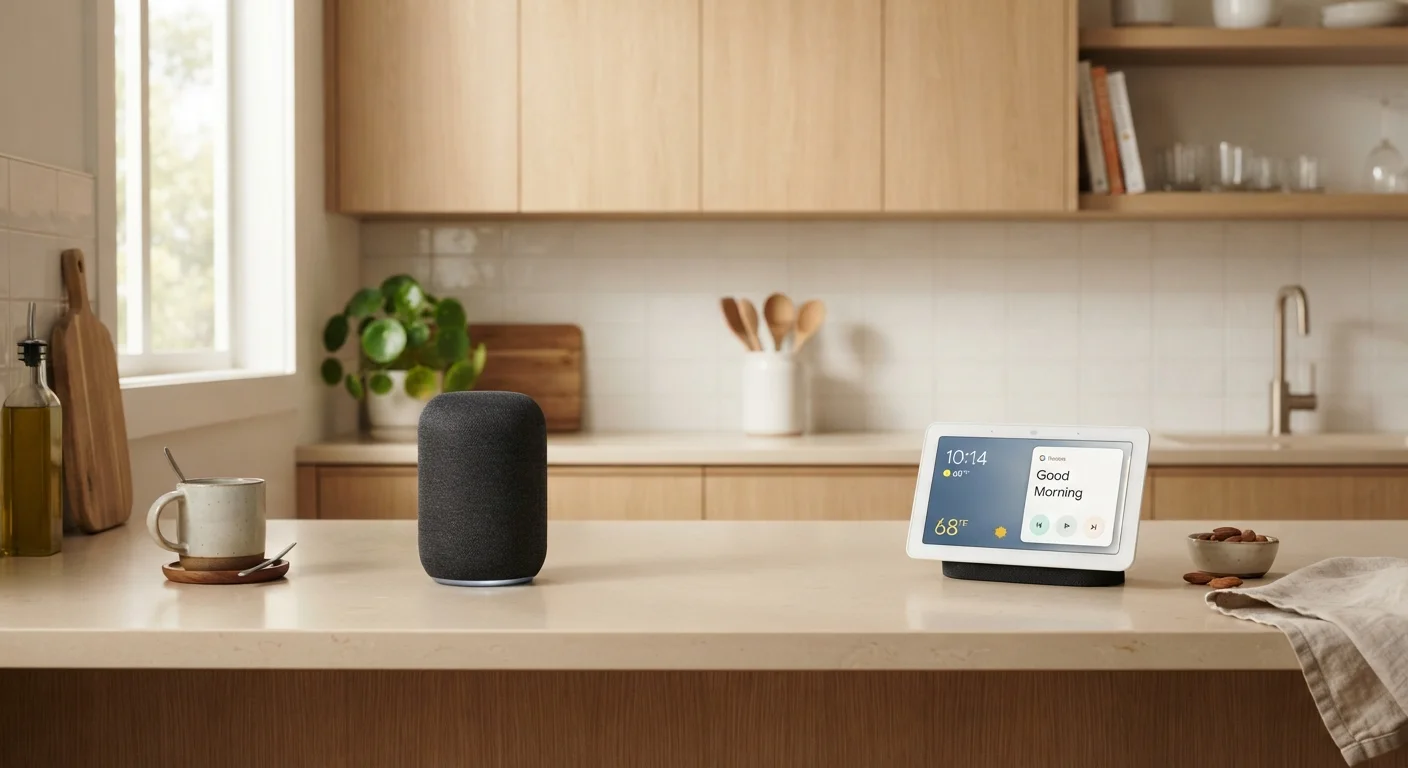
Option A
Smart Speaker
The voice-first, ears-only home assistant.
Best for: Households that want hands-free voice control, music streaming, and smart home automation without a screen.
Option B
Smart Display
The voice assistant with a visual layer on top.
Best for: Households that want video calls, recipe walkthroughs, security camera feeds, and at-a-glance information on a screen.
What Each Device Actually Does
Both smart speakers and smart displays are voice-assistant devices - they listen for a wake word, then respond to spoken requests. The assistant running underneath (Amazon Alexa, Google Assistant, or Apple's Siri, depending on the ecosystem) does the heavy lifting: answering questions, setting reminders, controlling smart home gadgets, and playing media.
The core difference is output. A smart speaker communicates entirely through sound. Ask it what the weather is and it reads you the forecast. A smart display delivers the same spoken response but also shows it on screen - and adds a touchscreen you can tap directly. That single distinction cascades into a surprisingly large practical difference.
If you're still getting familiar with how these devices connect to the rest of your home, our plain-language smart home introduction covers the basics without assuming any prior experience.
| Criterion | Smart Speaker | Smart Display |
|---|---|---|
| Screen | None | Touchscreen (varies by model) |
| Voice assistant | Yes | Yes |
| Video calling | Audio only | Full video calling |
| Recipe guidance | Spoken steps only | Visual step-by-step with photos |
| Security camera viewing | Not supported | Supported on compatible devices |
| Counter footprint | Small | Larger |
| Typical price range | Lower | Higher |
| Built-in camera | No | Yes (most models) |
| Smart home control | Yes, via voice | Yes, via voice and touch |
Where Smart Speakers Earn Their Place
Smart speakers shine in audio-focused, voice-heavy scenarios. They're compact, often cylindrical or puck-shaped, and easy to tuck anywhere - a bookshelf, a nightstand, a bathroom counter. Because there's no screen to maintain, they tend to be simpler devices with longer usable lifespans before they feel outdated.
Common strong suits include: music and podcast playback, kitchen timers and reminders, quick factual questions, and triggering smart home routines (turning off lights, locking a door). For these everyday tasks, the absence of a screen is rarely a limitation.
The tradeoff is that anything requiring a visual - a map, a video call, a security camera feed, a recipe with photos - simply can't happen. You get an audio description instead, which works for some things and falls short for others.
35%+
US adults using a smart speaker
Pew Research Center surveys have consistently found more than a third of American adults report using a smart speaker at home.
~2x
Smart display average price vs. smart speaker
Based on general market positioning, entry-level smart displays typically cost roughly twice as much as comparable smart speakers from the same ecosystem.
Where Smart Displays Pull Ahead
Smart displays add a screen - typically ranging from around 5 inches to 15 inches diagonally - that makes visual tasks genuinely usable. Cooking is a common example: following a recipe on screen, with photos and a tap-to-advance interface, is meaningfully easier than listening to steps read aloud.
Video calling is another area where displays have a clear edge. Built-in cameras let you make and receive video calls to contacts using the same ecosystem app, which can be valuable for families spread across different households.
Smart displays also allow you to view live feeds from compatible security cameras, check a visual weather map, watch short-form video content, or browse photos from a connected account. The touchscreen means you can interact directly without speaking - useful in loud rooms or for tasks where precision matters.
The tradeoff is size, cost, and complexity. Displays occupy more counter space, carry a higher price, and have more components that can eventually fail or feel outdated. Understanding how these devices talk to the rest of your smart home - through protocols like Matter and Wi-Fi - is worth knowing before you buy. Our guide to smart home device communication explains those protocols in plain terms.
Choosing Based on Placement and Habits
The most useful question isn't "which is better?" - it's "where will this live and what will I actually do with it?" A smart speaker in a bedroom, used mainly for sleep sounds and morning alarms, is a sensible fit. A smart display in a kitchen, used for recipes and video calls while cooking, earns its larger footprint.
Privacy is also worth factoring in. Both device types have microphones that listen for a wake word; displays also have cameras. If a device will sit in a bedroom or bathroom, consider whether a camera-equipped display feels comfortable in that space. Many smart displays include a physical camera shutter or mute button for exactly this reason.
For the technically curious, keep in mind that early setup decisions - router placement, network configuration, which ecosystem you commit to - have long-term consequences. Common smart home setup mistakes are worth reading about before you start adding devices.
Ecosystem Lock-In Is Real
Smart speakers and displays are designed to work within a single ecosystem - Amazon, Google, or Apple. Devices from one ecosystem won't always work seamlessly with the other's apps or services. Before choosing, consider which smartphone platform you use and which streaming services you subscribe to, since those often align with a particular ecosystem. The newer Matter standard is gradually improving cross-brand compatibility, but it doesn't eliminate all ecosystem boundaries.
The content on this site is provided for informational purposes only and should not be considered a substitute for professional advice. While we strive to provide accurate and up-to-date information, we make no guarantees regarding its completeness or accuracy. Always consult a qualified professional for advice specific to your circumstances before making any decisions