

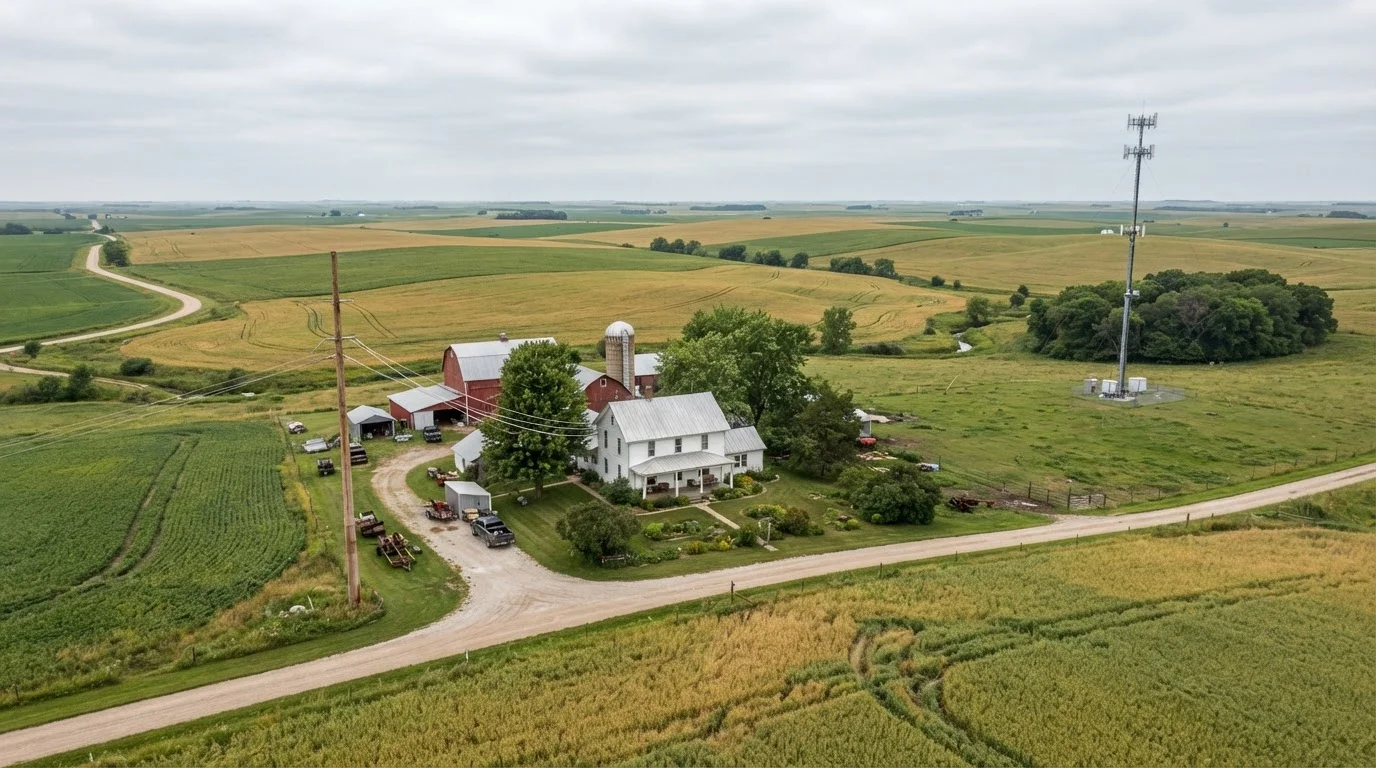
Option A
Fixed Wireless Internet
The widely available, infrastructure-light option for rural areas.
Best for: Households in areas where fiber hasn't been built yet but line-of-sight to a tower is possible.
Option B
Fiber Internet
The gold standard for speed and reliability where it reaches.
Best for: Rural households lucky enough to have fiber infrastructure nearby who want the most stable, future-proof connection.
How Each Technology Actually Works
Understanding the core mechanics helps explain every performance difference you'll see in practice.
Fixed wireless internet transmits data as radio signals between a provider's tower and a small antenna or dish mounted on your home. No cable needs to run to your house - the signal travels through the air. The catch is that fixed wireless requires a reasonably clear line of sight between your antenna and the tower. Hills, dense forest, barns, or even heavy foliage can degrade or block the signal entirely.
Fiber internet sends data as pulses of light through thin glass or plastic cables. Those cables run underground or on utility poles to reach your home. Because the signal is physical and contained within the cable, it isn't affected by weather, radio interference, or obstacles between structures. For a broader look at how these and other connection types compare, see Home Internet Explained.
| Criterion | Fixed Wireless | Fiber |
|---|---|---|
| Signal medium | Radio waves (air) | Light pulses (cable) |
| Typical download speed | 25-300 Mbps | 100 Mbps-1+ Gbps |
| Upload speed | Asymmetrical, often slower | Symmetrical, matches download |
| Typical latency | 20-50 ms | 5-15 ms |
| Weather sensitivity | Moderate (rain, wet snow) | Very low |
| Line-of-sight required | Yes | No |
| Rural availability | Broad | Limited, expanding slowly |
| Data caps | Common | Less common |
Speed, Latency, and Real-World Performance
On paper, both technologies can advertise decent download speeds. The differences show up in consistency, upload capacity, and how the connection handles multiple users simultaneously.
Fiber connections are typically symmetrical - meaning upload speeds match download speeds. That matters for video calls, cloud backups, and anyone sharing large files. Fixed wireless is usually asymmetrical, with upload speeds often significantly lower than downloads. A household streaming video while someone else is on a video call may notice the gap.
Latency - the delay between sending a request and receiving a response - is also markedly different. Fiber latency commonly runs between 5 and 15 milliseconds. Fixed wireless typically falls in the 20-50 ms range under good conditions, though obstacles and tower congestion can push it higher. For gaming, video conferencing, and VoIP calls, lower latency produces a noticeably smoother experience.
~25%
Rural Americans lacking broadband access
The FCC has reported that roughly one in four rural Americans lacks access to fixed broadband at minimum speed thresholds, highlighting the scope of the availability gap.
5-15 ms
Typical fiber latency
Fiber connections routinely achieve latency in this range under normal conditions, compared to 20-50 ms commonly seen with fixed wireless.
Fixed wireless plans may also carry data caps or fair-use policies that slow speeds after a threshold is reached. Fiber plans more commonly offer unlimited data, though this varies by provider and market.
Availability: The Deciding Factor for Most Rural Households
For urban and suburban households, this comparison is mostly academic - cable or fiber is usually available. In rural America, availability is often the only question that matters.
Fixed wireless networks have expanded significantly because they require far less physical infrastructure than fiber. A provider can serve a wide rural area by erecting a tower and installing antennas at individual homes, without digging trenches for miles of cable. This makes fixed wireless accessible in areas where running fiber simply isn't economically viable yet.
Fiber expansion in rural areas is ongoing, supported in part by federal broadband funding programs, but buildout is slow and uneven. Many rural households remain years away from fiber availability at their address. Before assuming fiber isn't an option, it's worth doing a precise address-level check - official coverage maps often overstate real availability. Learn how coverage maps can mislead and what a true availability check involves.
Verify Availability at Your Exact Address
ISP service area maps and federal broadband maps often mark areas as served when ground-level access is unavailable or limited. Before choosing between fixed wireless and fiber, contact providers directly and request a site visit if needed. A provider's ability to achieve line-of-sight from a tower to your specific home - not just your general area - determines whether fixed wireless is actually viable for you.
If neither fixed wireless nor fiber is reachable from your home, satellite internet is another option worth evaluating separately. See Satellite Internet: Who It's Really For for an honest look at when it makes sense.
Reliability and Weather Sensitivity
Fiber's physical, enclosed design makes it largely immune to interference. Heavy rain, wind, and extreme temperatures don't meaningfully affect the signal inside the cable. The main vulnerability is physical damage - a severed cable from construction or a fallen tree can take service down until repaired.
Fixed wireless is more sensitive to environmental conditions. Heavy rain or wet snow can attenuate (weaken) radio signals, particularly on higher-frequency bands. A heavily leafed tree that didn't block signal in winter may cause problems by midsummer. Providers can often optimize antenna placement to reduce these issues, but rural households in particularly dense woodland or hilly terrain may find signal quality unpredictable.
Tower congestion is another reliability factor worth considering. Fixed wireless towers serve multiple subscribers sharing available bandwidth. Peak-hour slowdowns are possible, similar to what happens with cable internet. Shared vs. dedicated connections explains why this happens and what it means for daily performance.
The content on this site is provided for informational purposes only and should not be considered a substitute for professional advice. While we strive to provide accurate and up-to-date information, we make no guarantees regarding its completeness or accuracy. Always consult a qualified professional for advice specific to your circumstances before making any decisions