

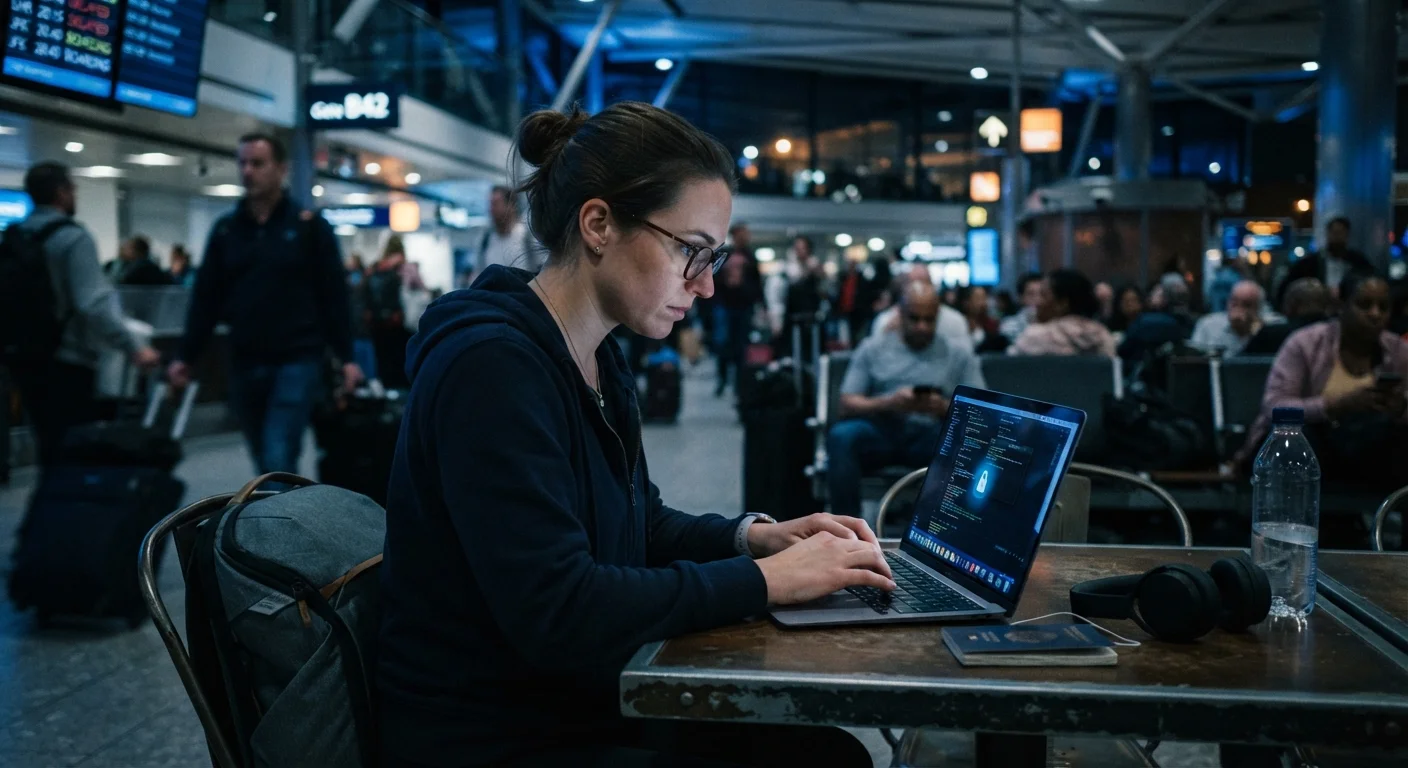
Why Digital Security Is a Travel Issue, Not Just a Tech Issue
Most travelers carefully guard their passport and wallet. Fewer think as critically about the devices they carry - or the networks they connect to. Yet the combination of unfamiliar infrastructure, distracted travel moments, and a heavy reliance on smartphones makes trips an unusually high-risk window for data exposure and account compromise.
Public Wi-Fi in hotels, airports, cafés, and transit hubs is frequently unsecured or minimally secured. Shared computers in lobbies or business centers may retain login credentials. A lost or stolen phone without a strong lock screen becomes an open door to email, banking apps, and stored passwords. These aren't hypothetical edge cases - they're common travel scenarios that require practical preparation.
Before you even book your flight, it's worth running through a broader travel safety preparation checklist that covers digital document backups alongside physical safety steps. Digital security doesn't start at the airport - it starts at home.
Preparation Beats Reaction Every Time
Most travel data breaches are preventable with steps taken before departure - not responses to an incident mid-trip. Spending 30-45 minutes securing your accounts and devices at home is far less disruptive than recovering from a compromised account in a different time zone. Common travel assumptions can create serious blind spots; see assumptions that get travelers into trouble for a broader look at preparation gaps.
What You Need Before You Leave
Effective travel security is largely set up in advance. The steps below walk through the key actions to take before departure, on the road, and when you return. Start with the tools and access you'll need.
What you will need
VPN (Virtual Private Network) App
Encrypts your internet connection on public or unfamiliar Wi-Fi networks, making it much harder for third parties to intercept your data.
Password Manager
Stores and auto-fills strong, unique passwords for each account so you don't reuse credentials or write passwords down while traveling.
Two-Factor Authentication (2FA) App
Generates time-sensitive login codes as a second layer of verification beyond your password, protecting accounts even if credentials are compromised.
Encrypted Cloud Backup
Stores copies of important documents - passport, insurance, itinerary - securely accessible from any device if yours is lost or stolen.
Travel Router (portable)
Creates your own private Wi-Fi network in hotel rooms, reducing reliance on shared hotel networks.
Laptop Cable Lock
Physically secures your laptop to a fixed object in hostels, cafés, or shared workspaces to deter opportunistic theft.
Enable Two-Factor Authentication on Critical Accounts
Log into your email, banking, and any travel-booking accounts before your trip. Enable two-factor authentication (2FA) using an authenticator app rather than SMS where possible - SMS codes can be intercepted in some circumstances. Write down your backup codes and store them separately from your device.
Install and Test a VPN Before Departure
Download a reputable VPN app and run a test connection before you leave. Make sure it connects reliably and that you understand how to turn it on. Some countries restrict or block VPN services - research your destination's rules in advance and verify with official sources if you're uncertain.
Back Up and Encrypt Your Key Documents
Scan or photograph your passport, travel insurance policy, visa, and credit cards (front only). Upload these to a secure, password-protected cloud folder. Share access credentials with a trusted person at home. This ensures you can access critical information even if your phone and bag are stolen simultaneously.
Configure Your Devices for Travel
Set your screen to lock automatically within 30 seconds. Disable auto-connect to open Wi-Fi networks in your device's settings - this prevents your phone from silently joining malicious hotspots. Turn off Bluetooth when you're not actively using it. On laptops, disable file sharing and AirDrop in public settings.
Use Mobile Data or Verified Hotspots for Sensitive Tasks
For anything involving banking, work accounts, or personal health information, use your phone's cellular connection (or an international SIM) rather than public Wi-Fi - even with a VPN active. Mobile data connections are generally harder to intercept than shared wireless networks. If you need to use hotel Wi-Fi for sensitive tasks, confirm the exact network name at the front desk before connecting.
Avoid Shared or Public Computers for Account Access
Business center computers, lobby terminals, and internet café machines may have keylogging software, saved browser sessions, or outdated security. Avoid logging into email, banking, or social media on any device you don't control. If you must use a shared device in an emergency, always log out manually and clear the browser history before leaving.
Review and Audit Accounts After You Return
Within a few days of returning home, check your email, banking, and any accounts accessed during travel for unrecognized logins or activity. Change passwords for accounts you used frequently on the road. If you used a foreign SIM, deactivate it and ensure your accounts are no longer linked to that number for verification codes.
Financial Data and Physical Device Safety
Digital security and financial safety overlap significantly when you're abroad. The same discipline that protects your passwords protects your bank accounts. For a practical comparison of payment method risks, see the safety trade-offs between cash and cards while traveling.
Physical device security is just as important as software. A phone left unattended on a café table, or a laptop screen left open in a crowded hostel common room, creates risk no app can fully mitigate. Lock your screen automatically after 30 seconds of inactivity. Use a cable lock for laptops in shared spaces. Be aware of shoulder-surfing - people watching you type passwords in public - especially at ATMs and check-in kiosks.
When you return home, review your accounts for unfamiliar activity and change passwords used frequently during travel. Understanding how cloud storage versus local storage works can also help you make smarter decisions about where your documents and photos live - and how recoverable they are if a device is lost or stolen.
Foreign SIM Cards and Verification Codes
If you swap to a foreign SIM mid-trip, your home phone number will be unreachable - including for SMS-based two-factor authentication. Before switching SIMs, ensure your critical accounts use an authenticator app rather than SMS verification, or note which accounts will be temporarily inaccessible. Failing to plan this in advance can lock you out of email or banking at exactly the wrong moment.
The content on this site is provided for informational purposes only and should not be considered a substitute for professional advice. While we strive to provide accurate and up-to-date information, we make no guarantees regarding its completeness or accuracy. Always consult a qualified professional for advice specific to your circumstances before making any decisions